Terms & Conditions
Last Updated: November 2025
Website: https://www.mirzakart.com
Platform Name: Mirzakart
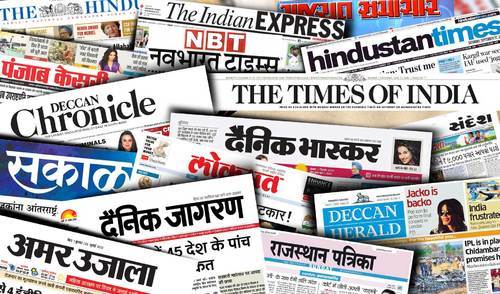
Welcome to Mirzakart, a digital news and media platform operated in India.
By accessing or using our website (“Service”), you agree to comply with and be bound by these Terms & Conditions. Please read them carefully before using our platform.
If you do not agree to any part of these Terms, you must discontinue using our website immediately.
---
1. Acceptance of Terms
By visiting, browsing, or interacting with Mirzakart, you acknowledge that you have read, understood, and agreed to be legally bound by these Terms & Conditions and our Privacy Policy.
These Terms apply to all users — including visitors, readers, contributors, advertisers, and partners.
---
2. About Mirzakart
Mirzakart is a news and information platform that:
1. Publishes original news, articles, and editorials created by our editorial team.
2. Displays or distributes third-party news content through RSS feeds from verified and publicly available sources.
Our goal is to provide timely, accurate, and reliable news to our readers while respecting copyright laws and journalistic ethics.
---
3. Use of the Website
By using Mirzakart, you agree to use the site only for lawful purposes and in compliance with all applicable laws and regulations.
You agree not to:
Copy, republish, or redistribute our original content without written permission.
Misuse or manipulate any content displayed through RSS feeds.
Use the website for spam, fraud, defamation, or illegal activities.
Attempt to hack, disrupt, or damage the website or its server.
Post or submit any offensive, abusive, or misleading material.
Violation of these conditions may result in suspension or permanent blocking of access.
---
4. Content Ownership
a) Original Content
All articles, news stories, photos, videos, designs, and graphics created by Mirzakart’s editorial team are the intellectual property of Mirzakart.
These are protected by Indian copyright laws and international treaties.
Unauthorized use, reproduction, or distribution of such content is strictly prohibited.
b) RSS-Based Content
Mirzakart may display headlines, summaries, or excerpts from third-party publishers via RSS feeds.
Such content remains the property of the original publisher.
We use these feeds under fair use and RSS-sharing permissions provided by respective sources.
Each feed item includes a link back to the original source for full details.
Mirzakart does not claim ownership or responsibility for the accuracy or legality of third-party RSS content.
---
5. Accuracy and Disclaimer
While we strive for accuracy, Mirzakart does not guarantee that all information published is completely error-free, current, or exhaustive.
Some content may include opinions, predictions, or third-party statements that reflect the authors’ views and not necessarily those of Mirzakart.
We are not liable for:
Errors, omissions, or inaccuracies in published content.
Loss or damage resulting from reliance on information provided on the site.
External links or RSS feed content from third-party sources.
Readers are encouraged to verify critical information from primary sources whenever necessary.
---
6. External Links
Our website may contain links to external websites or services operated by third parties.
These links are provided for informational purposes only.
Mirzakart has no control over and assumes no responsibility for the content, privacy policies, or practices of any third-party websites.
Visiting such external links is done at your own risk.
---
7. User-Submitted Content
If you submit articles, comments, or any other content to Mirzakart (e.g., as a guest writer or contributor), you:
Grant Mirzakart a non-exclusive, royalty-free license to publish, edit, or display your content.
Confirm that your submission is original and does not violate any copyrights or third-party rights.
Agree that Mirzakart may remove or edit your content if it violates our editorial standards or legal obligations.
---
8. Copyright and Fair Use Policy
Mirzakart respects intellectual property rights.
If you believe that any content on our website infringes upon your copyright, please contact us at contact@mirzakart.com with the following details:
1. Proof of ownership or authorization.
2. URL and description of the infringing material.
3. Your contact information.
We will review and take necessary action as per Indian copyright law.
---
9. Limitation of Liability
To the fullest extent permitted by law, Mirzakart and its team shall not be liable for any:
Direct, indirect, incidental, or consequential damages
Data loss, revenue loss, or service interruption
resulting from the use or inability to use our website or its content.
All services and information are provided “as is” and “as available”, without warranties of any kind, either express or implied.
---
10. Modifications and Updates
Mirzakart reserves the right to:
Update, modify, or discontinue any part of the website or service without prior notice.
Change these Terms & Conditions at any time.
Continued use of the website after any changes means you accept the revised Terms.
We encourage you to review this page periodically.
---
11. Termination of Access
Mirzakart may suspend or terminate user access to the website at its discretion, without notice, if:
A user violates these Terms,
Engages in abusive or illegal behavior, or
Misuses the website’s content or services.
---
12. Governing Law & Jurisdiction
These Terms & Conditions are governed by the laws of India.
In case of disputes, they shall be subject to the exclusive jurisdiction of the courts in Delhi, India.
---
13. Contact Us
For any queries regarding these Terms, copyright concerns, or partnership requests, please contact:
📩 Email: contact@mirzakart.com
🌐 Website: https://www.mirzakart.com
📍 Registered Address: India
---
14. Acknowledgment
By using Mirzakart, you acknowledge that you have read, un
derstood, and agreed to these Terms & Conditions.
Your continued use of the platform signifies your acceptance of our policies and practices.
---
✅ Mirzakart — Delivering Real, Reliable, and Responsible News.